Browse at keyboard speed
Move through images with the arrow keys from anywhere in the app. The filmstrip follows your selection and keeps it centered.
 Glimpse
A native image viewer for macOS
Browse a folder, move through your images, and look closer. Glimpse is the quick, quiet image viewer your Mac deserves.
Built for macOS 14 and later · One-time purchase
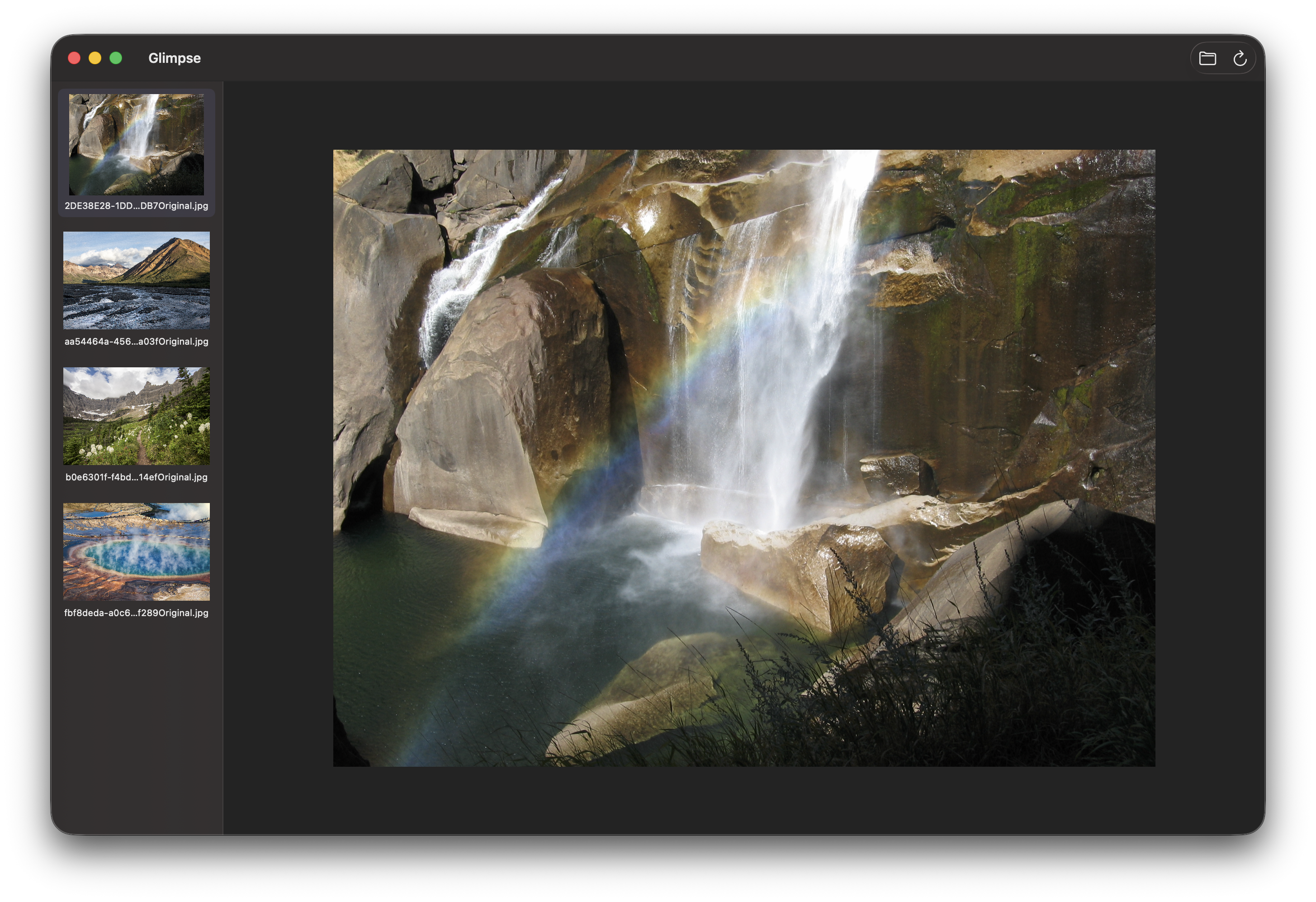
Made to disappear
Glimpse stays out of your photo library and out of your workflow. Point it at a folder and start browsing.
Move through images with the arrow keys from anywhere in the app. The filmstrip follows your selection and keeps it centered.
Pinch to zoom, zoom around the pointer, and drag to pan. Or fit an image perfectly to the window.
Leave every control behind. Full screen shows only your image while navigation and gestures keep working.
See subfolders in the filmstrip and open them naturally. Recent locations are always close at hand.
Move unwanted images to Trash with confirmation, or use Finder’s familiar immediate-delete shortcut when needed.
Private by design
Glimpse works directly with folders you choose. There are no accounts, no uploads, no analytics, and no photo-library import. An optional privacy control can replace minimized Dock previews with the Glimpse icon.
Available on the Mac App Store
One simple purchase. No subscription, account, or feature tiers.
Download on the Mac App Store